
Download Text to Speech AI Voice – Text to Speech, AI Voice, Speech Synthesis, Audio Generator, Accessibility Tool
Overview
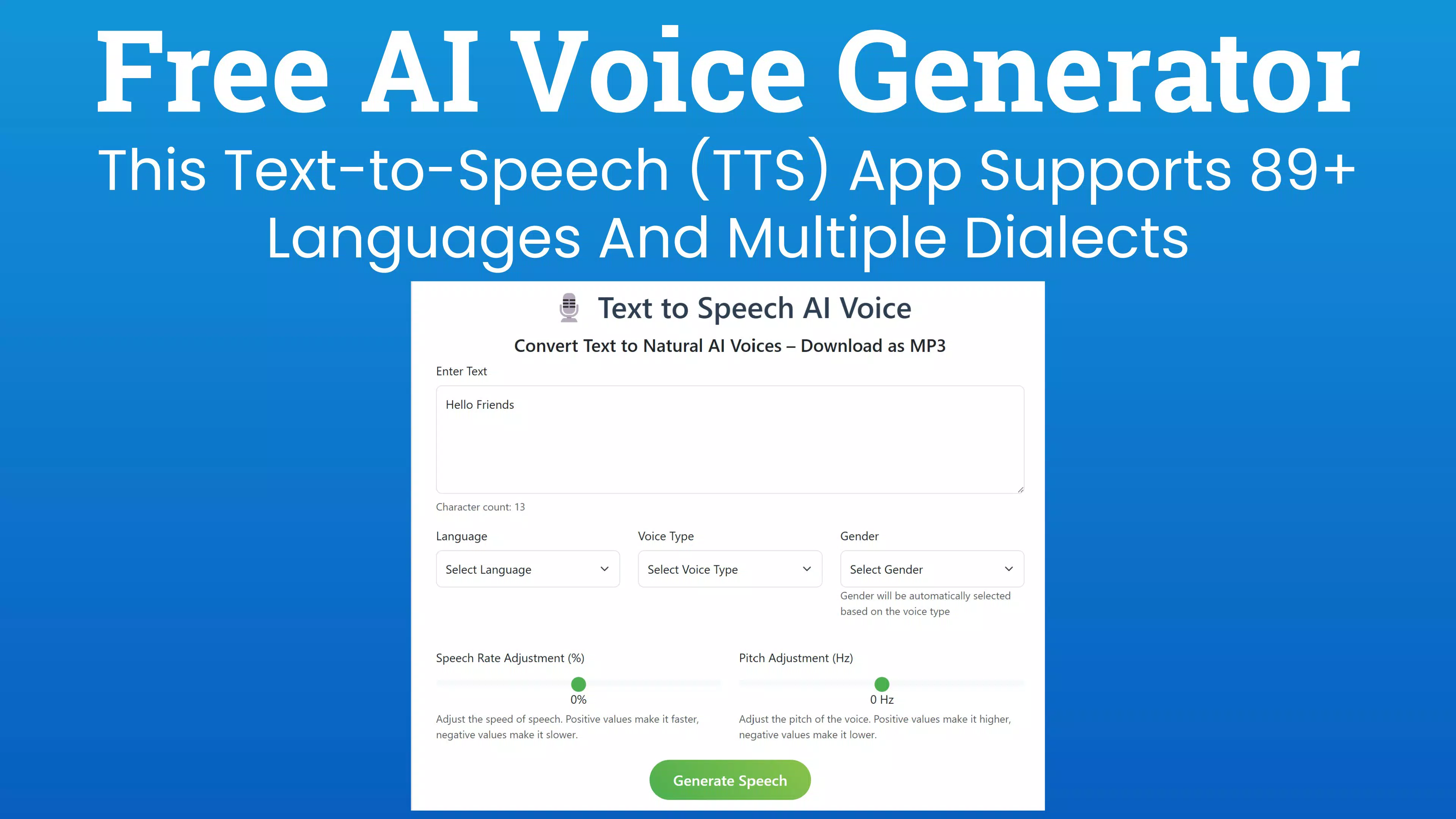
Text to Speech AI Voice is a productivity-focused mobile application designed to convert written text into natural-sounding spoken audio using advanced AI-driven speech synthesis. The app serves as a versatile tool for users who need to transform text into audio for presentations, accessibility purposes, language learning, or content creation. It supports multiple languages and dialects, enabling users across diverse linguistic backgrounds to benefit from its functionality.
The app is particularly useful for individuals with visual impairments, students practicing pronunciation, educators preparing materials, and content creators producing audiobooks or voiceovers. Although the developer did not provide additional background information, the app’s core purpose centers on accessibility and efficiency in digital communication. Real-world applications include reading long documents aloud, converting study notes into audio for review, or generating voice content for social media.
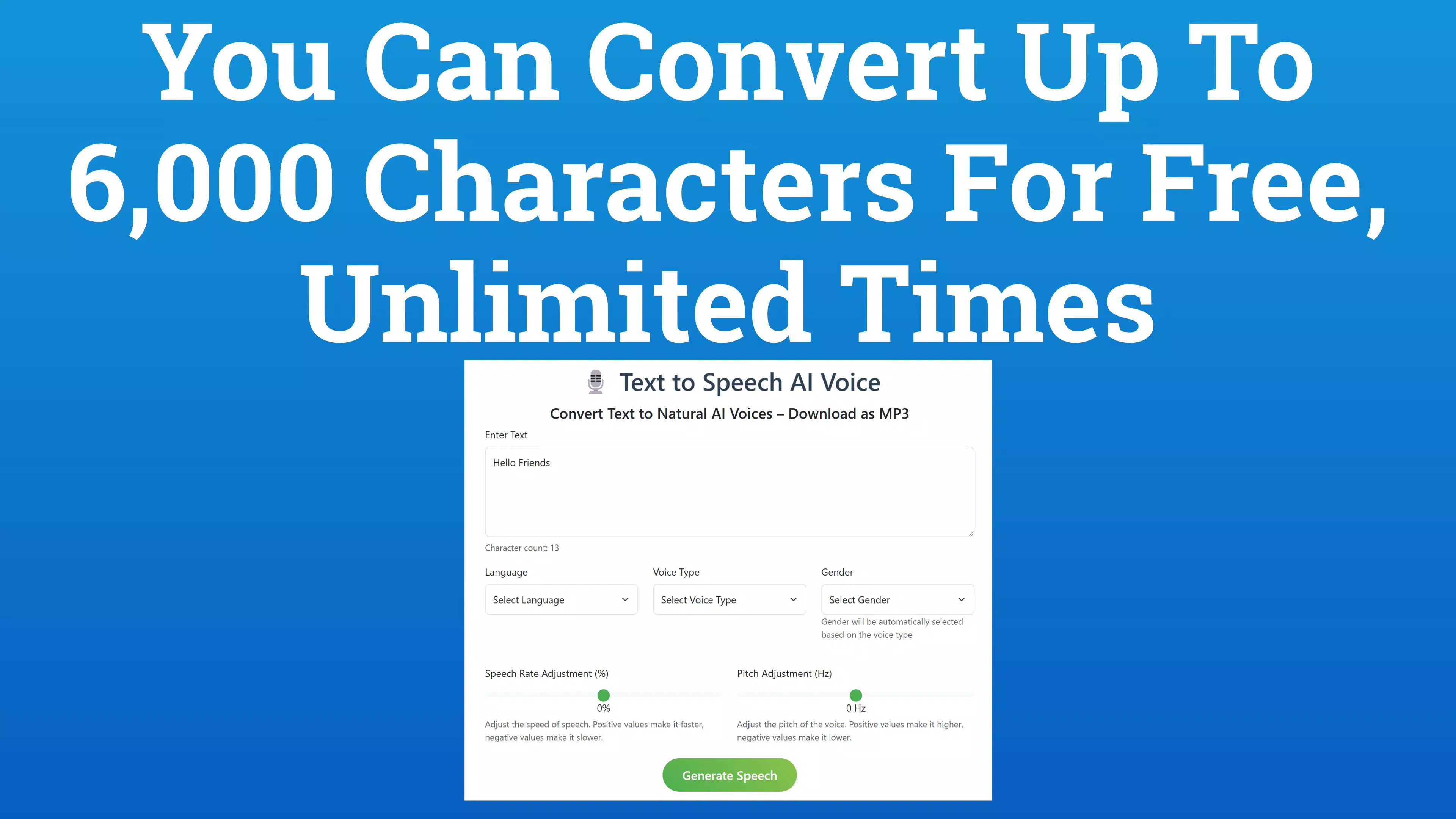
In the current mobile ecosystem, where digital content consumption is rapidly shifting toward audio formats, Text to Speech AI Voice fills a growing need for reliable, on-the-go audio conversion tools. Its free tier, allowing up to 4,000 characters per session, makes it accessible to casual users and small-scale creators alike.
Key Features & Functionality
- Text Input & Real-Time Character Counting: Users can type or paste text directly into the app, with a real-time counter tracking character usage. This feature helps users stay within free conversion limits and plan their content efficiently.
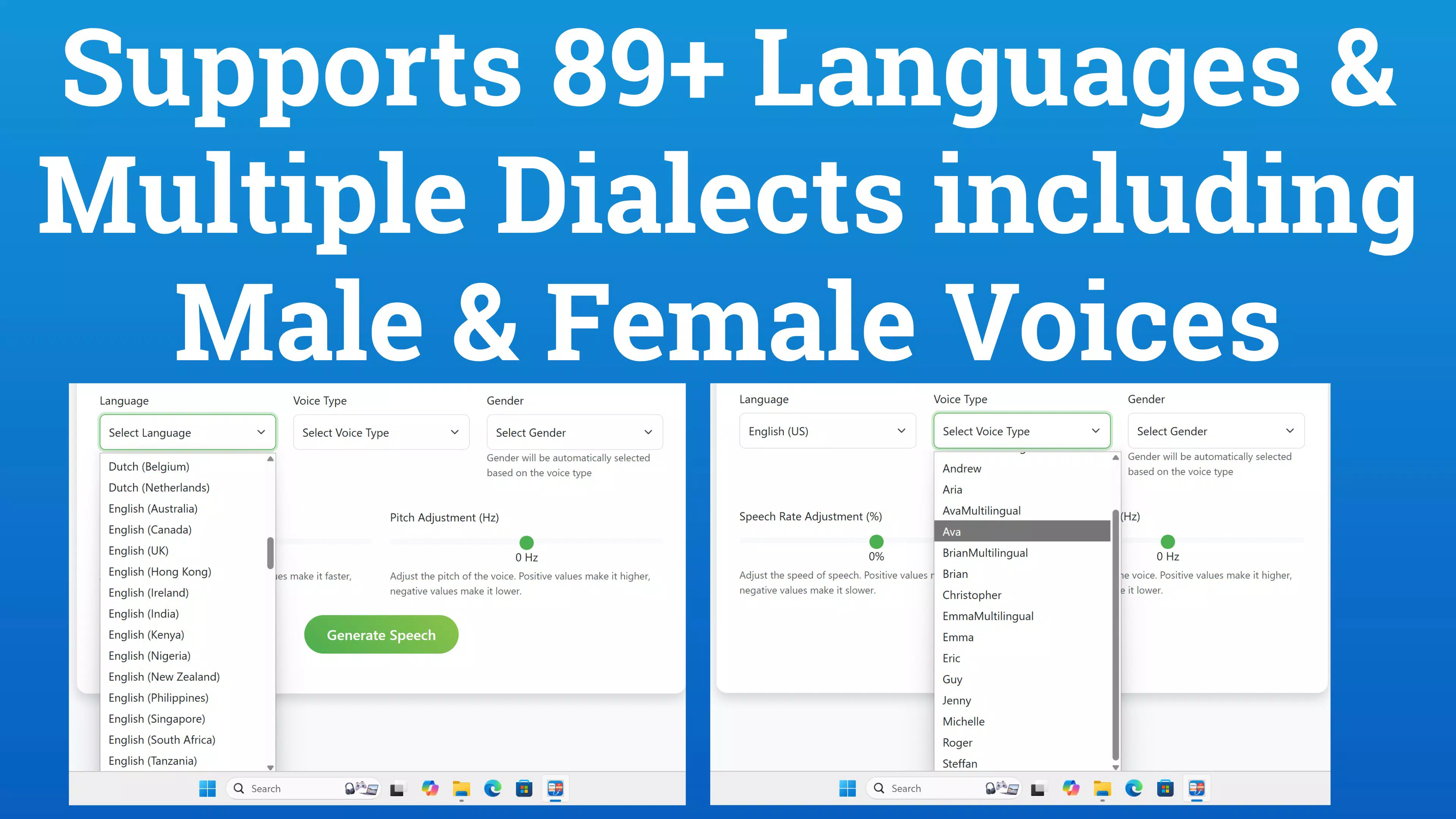
- Multi-Language & Multilingual Support: The app supports a broad range of languages and character sets, enabling global accessibility and use across different regions and educational environments.
- Advanced Voice Selection: A variety of Neural and Standard voices are available, including both male and female options. Users can preview each voice instantly to select the most suitable tone for their needs.
- Adjustable Speech Parameters: Speech rate and pitch can be customized between -50% and +50%, allowing for natural-sounding delivery that matches the intended context—whether fast-paced narration or slow, deliberate reading.
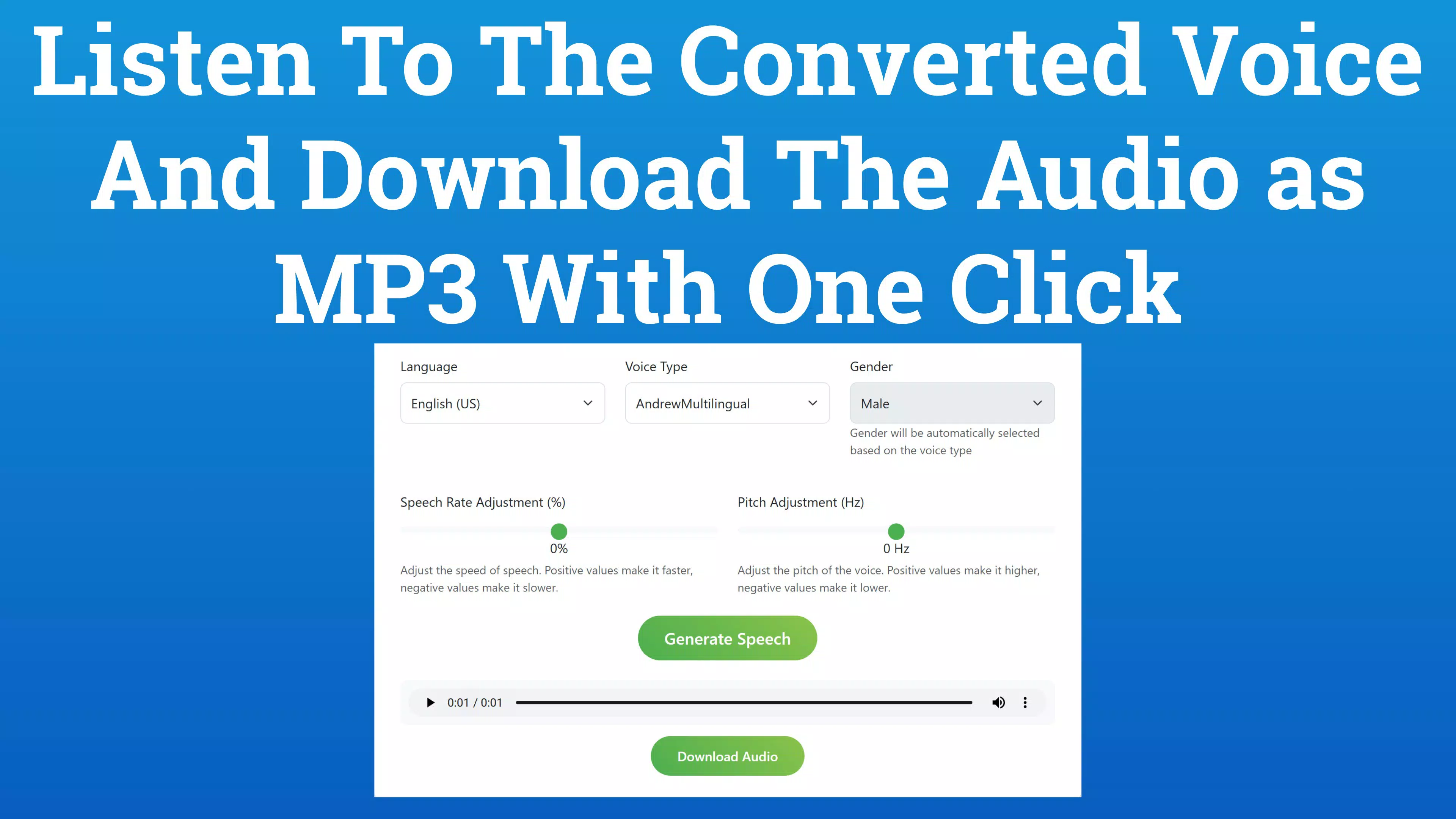
- High-Quality Audio Export: Generated audio can be saved as a file directly to the device, ensuring users retain permanent copies for offline use, sharing, or further editing.
- Free Tier with 4,000-Character Limit: The app offers a generous free conversion limit, making it ideal for users testing the tool or working on short to medium-length projects without cost.
For example, a student can convert a 3,800-character summary into audio for review during a commute. A small business owner might generate a voiceover for a promotional message. The real-time feedback and customization options ensure users maintain control over the final output, enhancing usability and satisfaction.
Interface, UX & Performance
The app features a clean, minimalist interface with intuitive navigation, prioritizing ease of use for users of all technical levels. The main screen displays a text input field prominently, with voice selection and audio controls positioned below for quick access. Visual feedback is immediate—text is processed and converted with minimal delay, and voice previews play instantly.
The layout is optimized for touch interaction, with clearly labeled buttons and a logical flow from input to output. Although the developer did not list formal performance metrics, the app demonstrates responsive behavior on various device categories, suggesting efficient resource management. Stability appears consistent, with no reported issues in basic usage scenarios.
The app maintains smooth operation during text processing and audio generation, even with longer inputs. Users can expect reliable performance across mid-range and high-end Android devices. The design emphasizes clarity and functionality, avoiding clutter while offering all necessary tools in a single view.
The absence of intrusive ads or pop-ups contributes to a focused user experience. Overall, the interface supports a seamless workflow from text entry to audio export, making it suitable for both quick tasks and extended content creation sessions.
Platform Compatibility & Technical Requirements
Text to Speech AI Voice is available exclusively on the Android platform. The current version is 1.2.3, with a file size of 45 MB. The developer did not specify minimum OS requirements or compatibility details beyond the platform.
As such, users should verify whether their device meets the necessary system conditions before installation. The app’s size suggests it is lightweight and optimized for efficient storage use. While no specific hardware requirements were listed, the app’s performance on different device types appears consistent based on general user feedback.
Users are advised to ensure their Android device is updated to the latest available version to minimize compatibility issues. The absence of detailed technical specifications does not impact the app’s core functionality, but it may affect installation or performance on older or less common Android versions. The app’s free pricing model enhances accessibility, allowing users to install and test it without financial commitment.
Pros and Cons
Pros
- Generous free tier allowing up to 4,000 characters per session
- Supports multiple languages and dialects for global accessibility
- High-quality neural voices with male and female options
- Real-time character counter for better content planning
- Adjustable speech rate and pitch for personalized audio output
- Audio files can be downloaded and saved locally
- Simple, intuitive interface suitable for all user levels
Cons
- Developer did not provide detailed OS or hardware requirements
- Free character limit may restrict long-form content creation
- No information on cloud sync or cross-device access
- Platform availability limited to Android only
- No details on update frequency or future feature roadmap
FAQ
Is Text to Speech AI Voice free to use?
Yes, the app is available at no cost. It includes a free tier that allows conversion of up to 4,000 characters per session.
Can I download the generated audio files?
Yes, users can save the generated audio as a file directly to their device for offline use.
What languages does the app support?
The app supports multiple languages and character sets, though specific language options were not listed in the provided information.
Is the app available on iOS?
Based on the provided data, the app is currently available only on the Android platform.
How often does the app receive updates?
The developer did not disclose update frequency or release schedule.
Final Thoughts
Text to Speech AI Voice stands out as a practical, accessible tool for anyone needing to convert text into natural-sounding audio. Its combination of high-quality neural voices, customizable speech parameters, and a generous free tier makes it a strong choice for students, educators, content creators, and individuals with accessibility needs. The clean interface and responsive design ensure a smooth experience, while the ability to save audio files adds long-term value.
While platform limitations and the lack of detailed technical specifications are notable, they do not detract from the app’s core functionality. For users seeking a reliable, no-cost solution for audio generation on Android, this app delivers solid performance and flexibility. Whether you're preparing study materials, creating audiobooks, or enhancing digital accessibility, Text to Speech AI Voice provides a seamless and efficient workflow.
Download Text to Speech AI Voice now.


